C# (C-Sharp) is an object oriented programming language developed by Microsoft that runs on the .NET framework.
C# is a versatile language used to develop web apps, mobile apps, operating systems and much more.
Installing MS Visual Studio
Visual Studio is an IDE (Integrated Development Environment) which we will be using to write code in.
To install Visual Studio:
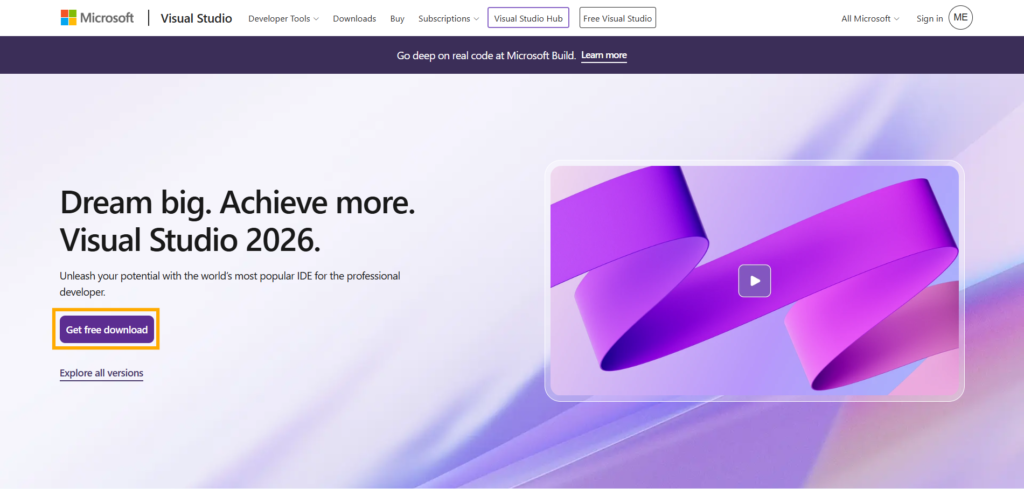
1. Go to the official Visual Studio page in the Microsoft website (https:/visualstudio.microsoft.com) and download the setup file
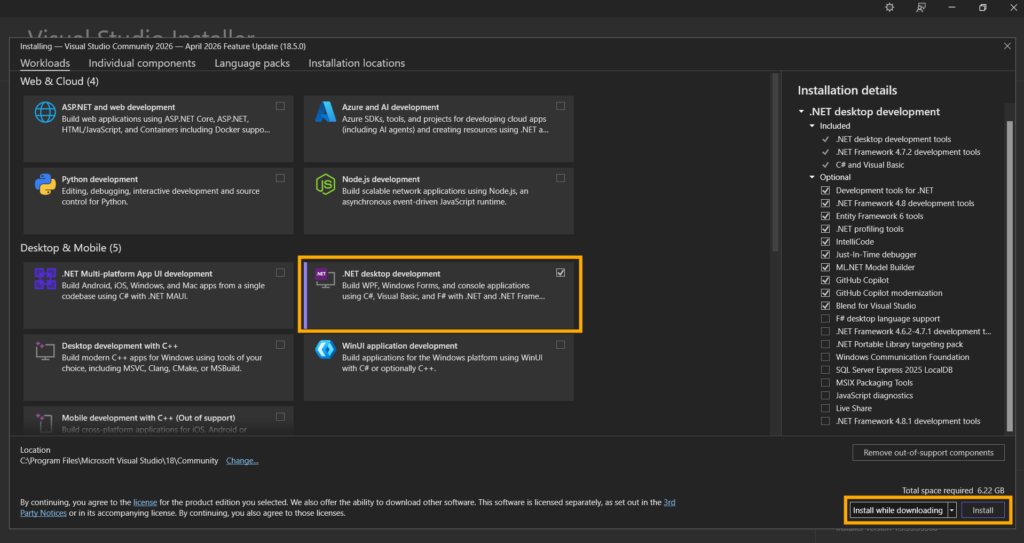
2. Launch the installation wizard. After the setup is ready, choose the .NET desktop development from the “Desktop & Mobile” section. This option provides us with all the tools we need to work with C#.
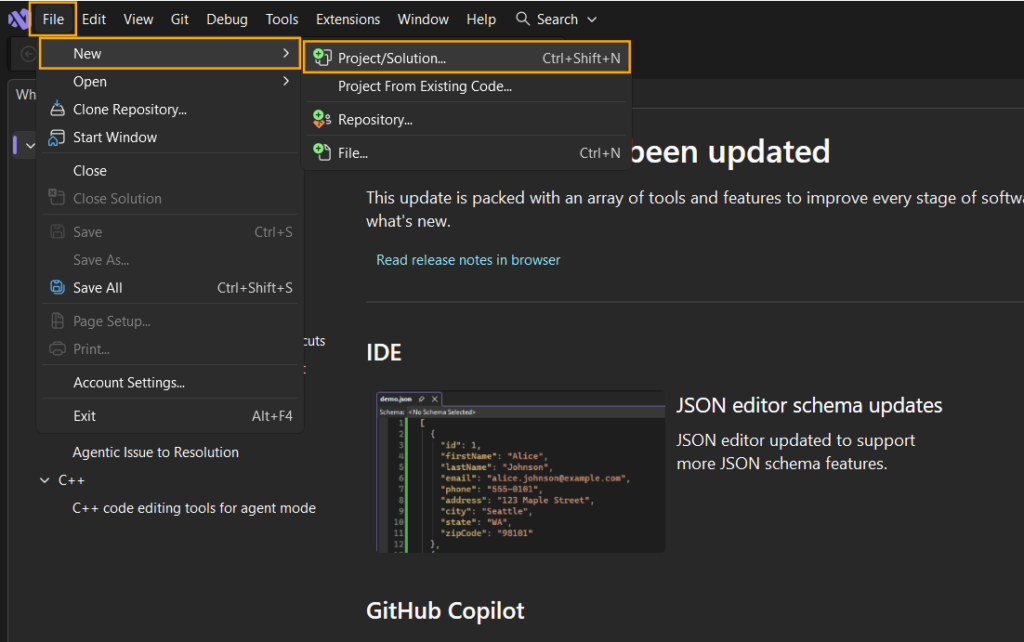
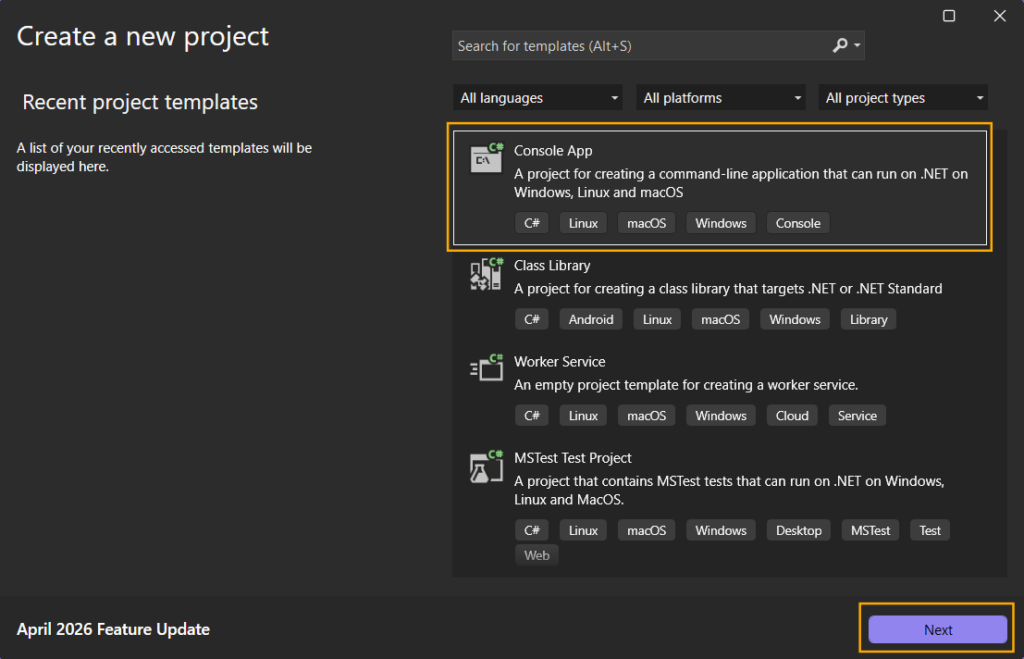
3. To create a new project, go to File > New > Project/Solution… and after choosing “Console App” continue by clicking the “Next” button.
4. After choosing a custom name for your project, continue by clicking “Next” and then “Create”. This will create the new project.
Alternative
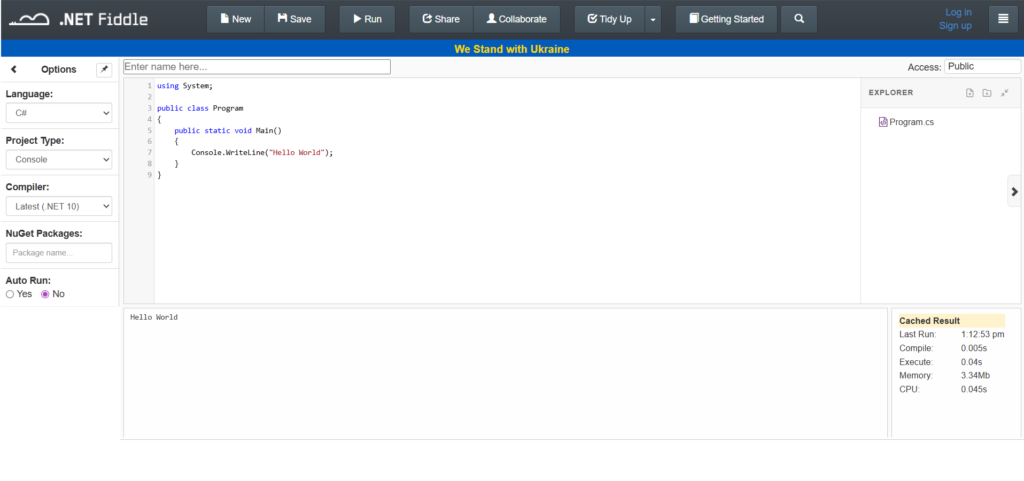
If Visual Studio is not compatible with your device or is otherwise not working, you can use dotnetfiddle.net. This is also useful when you want to test out a short program. The tutorials will be shown in Visual Studio but both Visual Studio and .NET Fiddle are suitable for the purposes of these lessons. It’s up to your personal preference which to use.
Exercise
Create a new project in either Visual Studio or .NET Fiddle