Variables in C#
Variables are containers for storing data values. There different types of variables in C# defined with different keywords such as:
- int – stores integers (whole numbers) such as 154 and -154
- double – stores floating point numbers (with decimals) such as 29.99 and -29.99
- char – stores single character, such as ‘a’ and ‘A’. Char values are surrounded by single quotes
- string – stores text, such as “Hello World!”. String values are surrounded by double quotes
- bool – stores values with one of two states: true or false
Declaring variables
To declare a variable, we use the following syntax:
type variableName = value;
Where type is the data type (int, string, char etc.), variableName is the name we decide to assign the value. The equal sign is used to assign a value to the variable.
Example
Declare a variable called name of type string and assign it a value of “John”:
string name = “John”;
And if we want to print the value, we would add:
Console.WriteLine (name);
Example
Declare a variable called myNum of type int and assign it a value of 56:
int myNum = 56;
And if we want to print the value, we would add:
Console.WriteLine (myNum);
You can also declare a variable and assign a value later
int myNum;
myNum = 56;
Console.WriteLine(myNum);
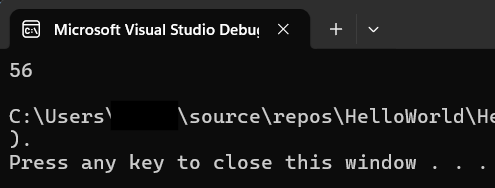
Result
Note
If you assign a new value to an existing variable it will overwrite the previous value
Constants
If we want to prevent values from being overwritten, we use constants. Constants are unchangable and can’t be overwritten.
To declare a constant, add the keyword const in front of the variable type:
const int myNum = 56;
myNum = 25; //error
Exercise
Declare a constant of the type double called myNum with a value of 3.14